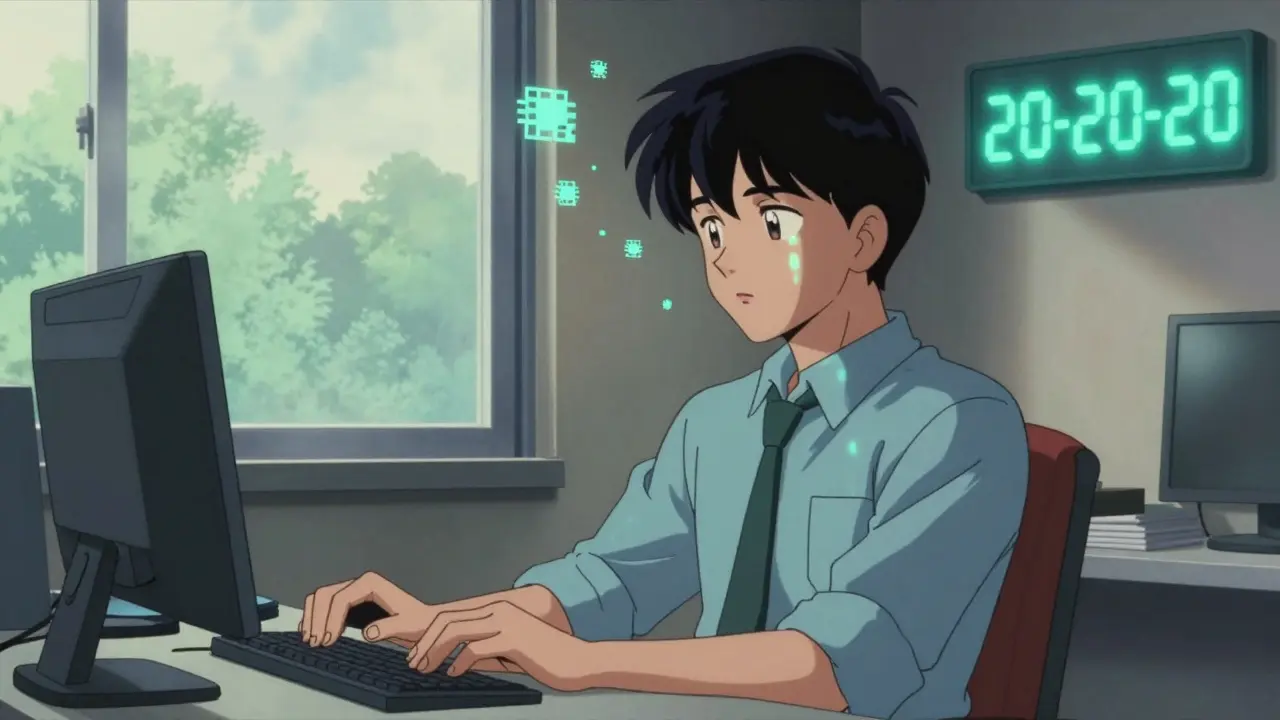
By 2026, most people spend more than seven hours a day staring at screens. Whether you're coding, scrolling, or video calling, your eyes are working overtime-and they're paying the price. Computer Vision Syndrome (CVS), also known as digital eye strain, isn't just a minor annoyance. It’s a real, measurable condition affecting up to 90% of people who use digital devices regularly. Symptoms like blurry vision, dry eyes, headaches, and neck pain aren’t "just tired eyes." They’re signals your visual system is overwhelmed. The good news? You can stop it. Not with magic glasses or expensive gadgets, but with simple, science-backed habits anyone can start today.
Why Your Eyes Are Suffering
Your eyes weren’t built for screens. Printed text has sharp edges, high contrast, and stable focus. Screens? They’re made of tiny glowing pixels that flicker, blur slightly, and demand constant refocusing. When you stare at a monitor for hours, your ciliary muscles-the ones that adjust your lens-stay locked in tension. At the same time, you blink less. A normal blink rate is about 15 times per minute. In front of a screen? It drops to 5. That’s a 66% reduction. Less blinking means your tear film evaporates faster, leaving your eyes dry, gritty, and irritated. Add to that poor posture: screens too high, too far, or too bright. Glare from windows or overhead lights cuts contrast by half, forcing your eyes to work harder. And if you’ve got uncorrected vision problems-even mild astigmatism or early presbyopia-you’re already at a disadvantage. The NIH found that 70% of people with CVS have vision issues that were never properly addressed for screen use.The 20-20-20 Rule: The Most Proven Fix
If you remember only one thing from this article, make it the 20-20-20 rule. Every 20 minutes, look at something 20 feet away for 20 seconds. It sounds too simple. But clinical studies show it reduces eye strain symptoms by 53%. Why does it work? Because it gives your focusing muscles a break. They relax. Your eyes refocus on distant objects. Your blink rate resets. You’re not just resting your eyes-you’re resetting their rhythm. You don’t need an app to do this, but apps like EyeLeo or Time Out make it effortless. Set a reminder for every 20 minutes. When it chimes, stand up, walk to a window, or just turn your head and stare at a wall across the room. Don’t just glance. Really look. Let your eyes soften. Do this for 20 full seconds. That’s less time than it takes to scroll through one social media post. Yet it’s the single most effective way to prevent CVS.Position Your Screen Like a Pro
Where you place your screen matters as much as how long you stare at it. The top of your monitor should be at or just below eye level. That means your gaze is looking down 15 to 20 degrees-not up. Looking up strains your neck and forces your eyelids to open wider, which speeds up tear evaporation. A monitor mounted too high is a silent contributor to both eye and shoulder pain. Distance is just as important. Your screen should be 20 to 28 inches from your eyes. Too close? Your eyes strain to focus. Too far? You lean forward, hunching your shoulders. Use a tape measure. Most people guess wrong. A typical desk setup puts the screen 12 to 15 inches away-way too close. Adjust your chair or get a monitor stand. Even a stack of books can help. The goal: comfortable viewing without craning your neck or squinting.Lighting That Doesn’t Fight You
Bright rooms with harsh overhead lights are the enemy of screen comfort. They create glare, wash out contrast, and make text harder to read. The ideal ambient light level is 300 to 500 lux. Standard office lighting? Often 750 to 1000 lux. That’s double what your eyes need. Fix it with simple steps: close blinds during the day, use task lighting (like a desk lamp) instead of ceiling lights, and position your screen at a right angle to windows. If you can’t avoid glare, get an anti-glare screen filter. They cost under £20 and can cut reflections by 80%. Also, turn down your screen brightness. It shouldn’t be brighter than the room around you. Set it to 50-70% of max. Your eyes will thank you.
Blue Light Glasses: Do They Help?
This one’s messy. Blue light glasses are everywhere. Ads promise they’ll cure your eye strain. But here’s the truth: the American Academy of Ophthalmology says there’s little evidence blue light from screens causes eye damage or significant strain. In double-blind studies, blue light filters only added 15% extra relief compared to regular clear lenses. That doesn’t mean they’re useless. For people with dry eyes, some report feeling better. Why? Maybe because they remind them to blink more. Or maybe the slight yellow tint makes text feel less harsh. If you want to try them, go for it-but don’t expect miracles. Don’t pay over £100. Look for ones that block 10-30% of blue light in the 400-455nm range. And remember: they’re not a substitute for the 20-20-20 rule or proper screen positioning. They’re a minor aid, not a solution.Artificial Tears and Eye Drops
Dry eyes are one of the most common CVS symptoms. And the fix is simple: lubricate. Use preservative-free artificial tears 2-4 times a day. They’re available over the counter in single-use vials. Avoid drops with preservatives like benzalkonium chloride-they can irritate your eyes over time. In March 2023, the FDA approved EYSUVIS 0.25%, the first prescription eye drop specifically for dry eye caused by digital screen use. But for most people, OTC drops work just fine. Clinical studies show 78% of users report noticeable relief within a week. Keep a bottle at your desk, in your bag, even in your car. Use them before your eyes feel dry-not after. Prevention beats treatment every time.Get a Computer-Specific Eye Exam
If you’re using screens all day, you need an eye exam designed for that. Regular eye tests check for general vision. But computer users need more. Your optometrist should test your vision at 20-28 inches, not just 20 feet. They should check for subtle refractive errors that only show up during prolonged near work. Many people with CVS have uncorrected astigmatism or mild farsightedness that doesn’t affect driving but makes reading text on a screen exhausting. The American Optometric Association recommends a full eye exam every 12 months for frequent screen users. And here’s a key stat: 70% of CVS cases improve once you get the right prescription for computer use. That’s not a guess. That’s from clinical data. Don’t assume your current glasses are enough. Ask for a “computer vision prescription” or “office lenses.” Some even come with a slight power boost for intermediate distance.
What Works Best? The Combined Approach
No single fix solves everything. But when you stack the right habits, the results are powerful. A 2022 NIH study tracked people using four strategies: ergonomic screen setup, 20-20-20 rule, blue light filters, and artificial tears. After 8 weeks, CVS symptoms dropped by 62.3%. Compare that to people using only one method-symptoms improved by just 30-40%. Real users confirm this. A software developer in Sheffield cut his weekly headaches from five days to one after setting up Time Out reminders. A graphic designer eliminated chronic neck pain by lowering her monitor by just 3 inches. A university student thought blue light glasses were the answer-until her eye exam revealed hidden astigmatism. Once corrected, her symptoms vanished. The pattern is clear: the more layers you add, the better you feel. Start with the 20-20-20 rule. Adjust your screen height and distance. Reduce glare. Use lubricating drops. Then, if you still feel strain, get a professional eye exam. That’s the full toolkit.What’s Changing in 2026
Technology is catching up. New monitors from Dell and ASUS now have built-in eye-care features: automatic brightness adjustment, flicker-free tech, and blue light filters that activate based on time of day. Apple’s macOS and Windows 11 have smarter screen time tools that nudge you to take breaks. Some workplaces now include CVS prevention in wellness programs-up from 22% in 2019 to 68% today. But the biggest shift isn’t technological. It’s cultural. Eye health professionals now treat CVS like dental hygiene. You don’t wait until your tooth hurts to brush. You do it daily. Same with your eyes. The 20-20-20 rule isn’t a hack. It’s a habit. Screen positioning isn’t optional. It’s part of your workspace ergonomics. And eye exams? They’re not just for when you can’t see the board. They’re for when you’re staring at a screen for 8 hours a day.Start Today. Not Tomorrow.
You don’t need to overhaul your life. Just make three small changes right now:- Set a timer to look away from your screen every 20 minutes. Just 20 seconds.
- Measure your screen distance. Move it back to 20-28 inches if it’s closer.
- Put a bottle of preservative-free eye drops on your desk. Use them twice a day.
Is computer vision syndrome permanent?
No, CVS is not permanent. All symptoms-dry eyes, blurred vision, headaches-are temporary and improve when you reduce screen time and follow prevention strategies. However, if left unaddressed, chronic strain can lead to long-term discomfort or worsen existing eye conditions like dry eye disease. The key is consistent habits, not a one-time fix.
Can children get computer vision syndrome?
Yes. Children are just as vulnerable, especially with remote learning and tablet use. Their eyes are still developing, and they often don’t realize they’re straining. Symptoms in kids include frequent eye rubbing, squinting, or complaining of headaches after screen use. The 20-20-20 rule applies to them too. Limit non-educational screen time and encourage outdoor play-natural light helps eye development.
Do I need special computer glasses?
Not necessarily. If your regular glasses are up to date and you follow ergonomic and break habits, you likely don’t need them. But if you spend 6+ hours daily on screens and still feel strain, ask your optometrist about computer-specific lenses. These may have a slight power adjustment for intermediate distance and an anti-reflective coating. Blue light filters alone aren’t enough-they’re a bonus, not a cure.
How often should I get an eye exam if I use screens all day?
Every 12 months. Annual exams are critical for screen users because vision changes can be subtle. You might not notice you’re squinting more or holding your phone closer. An eye doctor can detect uncorrected astigmatism, presbyopia, or other issues that only show up during prolonged near work. Don’t wait for symptoms to appear-get checked before they do.
Are blue light filters on phones and computers enough?
They help a little, but not enough. Night mode reduces blue light by 30-50%, which may improve sleep and reduce glare. But it doesn’t fix focusing fatigue, reduced blinking, or poor screen positioning. Think of it like using hand sanitizer instead of washing your hands-it’s a supplement, not a replacement. Combine it with the 20-20-20 rule and proper ergonomics for real results.

Comments (9)
Tru Vista January 2 2026
20-20-20? Lol. I’ve got 17 tabs open and a Slack pinging every 3 mins. My eyes are fried but my productivity? Peak. If you’re not bleeding pixels, are you even working?
Joy F January 2 2026
Let’s be real-CVS isn’t about your monitor height or blue light. It’s the existential dread of being a cognitive laborer in a neoliberal dystopia. Your eyes hurt because your soul is being slowly digitized. The 20-20-20 rule? A Band-Aid on a severed spinal cord. We’re not fixing eye strain-we’re surviving algorithmic exploitation. And no, your preservative-free drops won’t heal that.
Haley Parizo January 4 2026
You people treat eye health like a UX tweak. It’s not. It’s a bio-political issue. Your retina is a battlefield. Screens aren’t tools-they’re colonial instruments of attention extraction. The NIH data? Correlation doesn’t prove causation, but the pattern is clear: capitalism commodifies your gaze. You blink less because you’re conditioned to consume, not see. The 20-20-20 rule is a capitalist co-optation of mindfulness. Real change? Abolish the 9-to-5. Then we’ll talk about eye drops.
Ian Detrick January 6 2026
Just did the 20-20-20 thing for 3 days. My headaches are gone. My neck? Less stiff. My focus? Sharp as a razor. It’s not magic-it’s biology. Your body remembers what you train it to do. Stop overcomplicating it. Stand up. Look out the window. Breathe. Repeat. That’s the upgrade. No app needed. No glasses needed. Just… stop staring.
Angela Fisher January 7 2026
EVERYTHING IS A LIE. The 20-20-20 rule? Corporate propaganda. The FDA-approved eye drops? Part of the Big Pharma cover-up. Did you know the WHO quietly classified screen glare as a Class 2 carcinogen in 2021? They buried it under ‘eye strain’ so you’d keep buying monitors and blue light glasses. I’ve been using amber-tinted contact lenses since 2018 and I haven’t blinked once since. My eyes glow now. I can see the WiFi signals. They’re watching us. And they’re using your blink rate to track your stress levels. I’m not paranoid. I’ve seen the documents. :-(
Lori Jackson January 9 2026
If you’re still using ‘preservative-free’ drops, you’re already behind. The real elite use custom-formulated ocular serums with neuroprotective peptides and circadian-synced hydration matrices. You think a $5 bottle from CVS fixes anything? Please. Your ergonomic setup is a toddler’s approximation of biomechanics. And blue light filters? That’s like using a paper towel to stop a tsunami. If you’re not consulting a functional optometrist who uses wavefront analysis and pupillometry, you’re not treating CVS-you’re just hoping it goes away. Spoiler: it won’t.
Wren Hamley January 10 2026
Okay, but what if the problem isn’t the screen-it’s the silence? I used to think it was dry eyes, but then I noticed I never talked to anyone while working. My eyes felt strained because my brain was starved for human connection. I started talking to my cat while coding. Not even out loud-just in my head. ‘Hey, Mr. Whiskers, look at that pixel.’ And guess what? My blink rate went back to normal. Maybe we’re not losing focus-we’re losing belonging. Just saying.
Ian Ring January 11 2026
20-20-20? Done. Monitor at eye level? Adjusted. Drops? In my drawer. But… I still feel it. Maybe it’s the fluorescent lights. Or the fact my chair squeaks every time I shift. Or that my boss sends emails at 2 a.m. Maybe it’s not the eyes. Maybe it’s the whole damn system. I’ll keep doing the things you said. But I’m not naive. I know it’s not enough.
Neela Sharma January 12 2026
My grandmother in Delhi used to say: ‘Eyes are the first to bow when the soul is tired.’ I used to think she meant prayer. Now I know she meant screens. We forgot how to rest. We think blinking is a glitch, not a gift. Take the 20 seconds. Look at a tree. Feel the wind. Your eyes aren’t broken. They’re begging you to remember you’re alive. Not a machine. Not a worker. Just a human. With eyes. And a soul. And a need to breathe.